Desktop app · Python · 2026
Toolbox
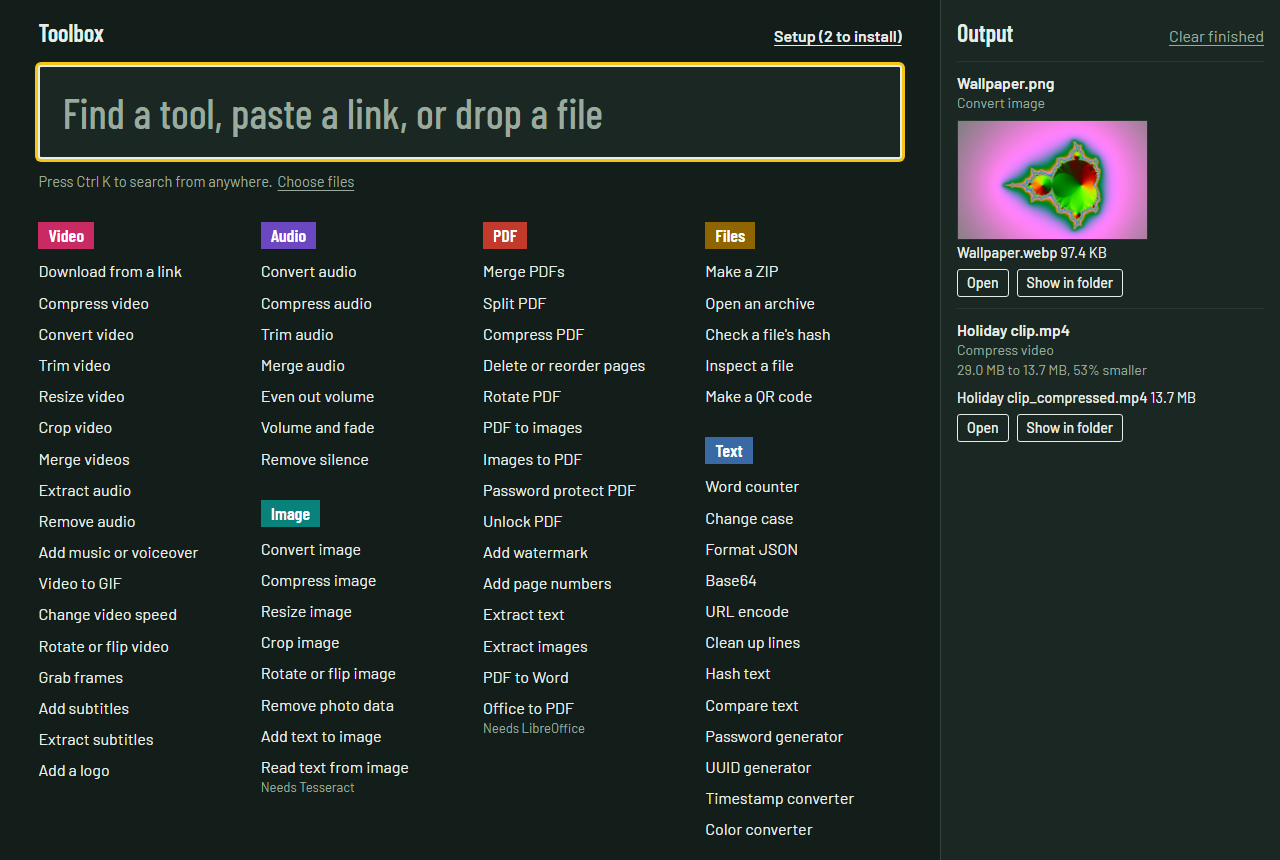
52 native tools for video, audio, images, PDFs and files, plus 12 text tools, in one page that runs on your own computer. Nothing is uploaded.
What it does
Toolbox puts the file tools people usually hunt for on random websites onto one page that runs locally. You can search for a tool, paste a link or drop a file, and the finished files stack up on the right.
- Video: download from a link (YouTube and 1,000+ sites), compress by quality or to an exact size, convert, trim, crop, merge, GIF, subtitles and more.
- Audio: convert, compress, trim, merge, even out volume, fades, remove silence.
- Images: convert (including HEIC and AVIF), compress to a size limit, resize, remove photo data, read text (OCR).
- PDF: merge, split, compress, reorder, password protect, watermark, page numbers, PDF to Word, Office to PDF.
- Text (in the page): word counter, JSON, Base64, hashes, compare, passwords, UUIDs, timestamps, colors.
How it’s built
- A small Python web server that listens only on
127.0.0.1and checks every request. - A tool registry and job queue that detect the GPU and drive FFmpeg, with NVENC and AMF hardware encoding when they’re available.
- Each tool is a single Python function with declared parameters, and the interface builds its form from them, so adding a tool needs no HTML.
- A desktop app with its own window and FFmpeg, yt-dlp and Deno bundled in, so users don’t need Python. Windows and macOS (Apple Silicon) installers are built in GitHub Actions.
- A full test suite runs every tool on real files in an isolated temporary home folder.
Design decision
The app can open any file on the computer it runs on, so it’s built for one person on one machine and deliberately isn’t hosted publicly. The public site only links to the installers.